Dropbox alternative
A project-photo alternative when Dropbox folders are not enough.
ProjectRoll helps teams organize project photos by job and section, then share controlled private links without turning every review into a file-folder hunt.
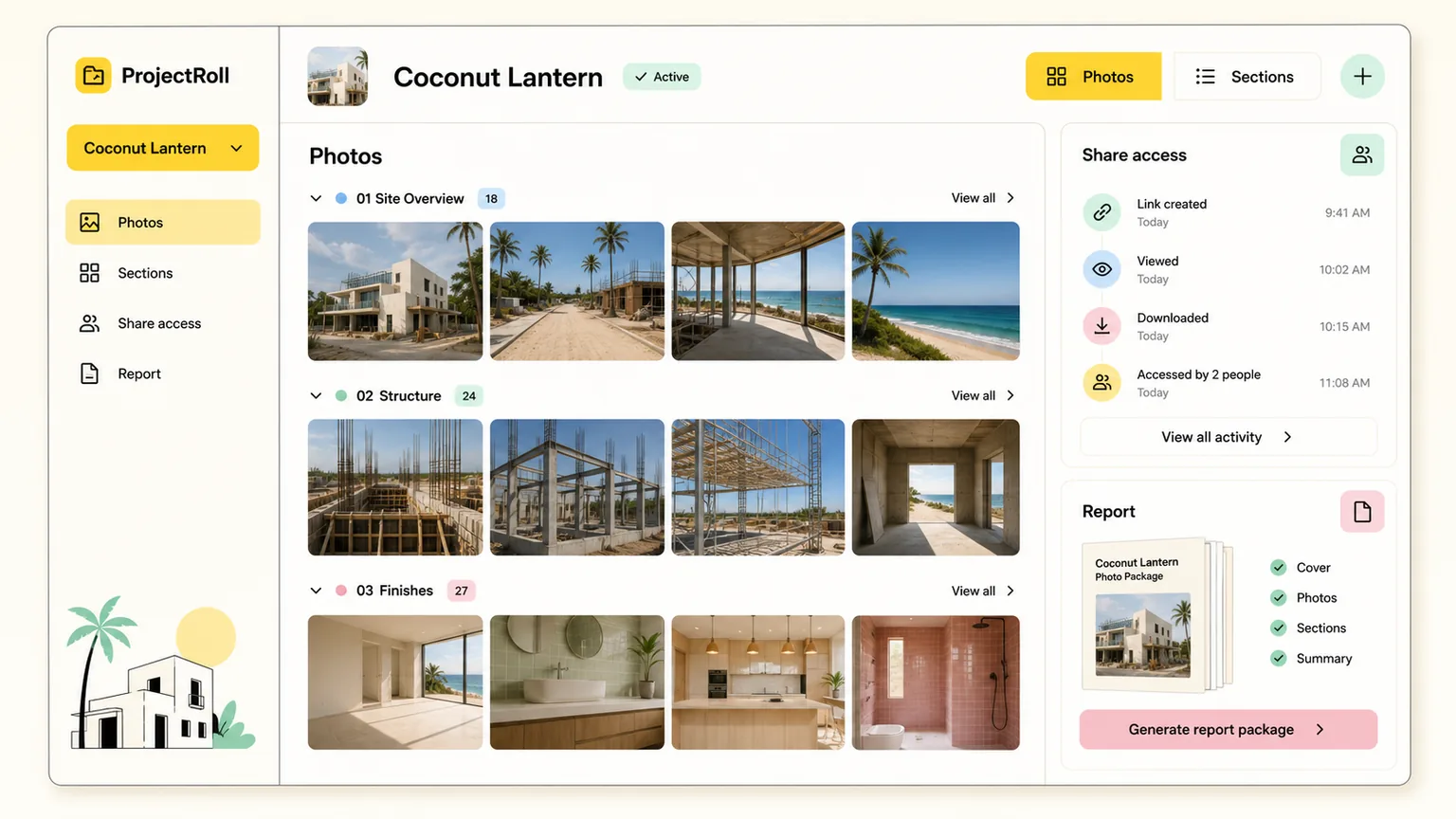
Dropbox project photos alternative
Built for service businesses, contractors, and property teams that need photo records, not just file sync.
ProjectRoll keeps marketing promises close to the actual product: project galleries, private links, access history, and report-ready photo organization.
Product proof
Sync is not the workflow
ProjectRoll focuses on photo documentation after upload: organize, package, share, and report from the project record.
Product proof
Client review stays focused
Private links can point to only the photos a client or stakeholder needs for the current decision.
Product proof
Project context remains attached
Photos keep their project, section, note, package, and report context instead of becoming loose synced files.
Photo-first project records
Keep job photos tied to the project and section where they were captured.
Purpose-built sharing
Share a whole project, a section, or selected photos using private links.
Access control history
Review and stop individual links from the project or workspace shared-links page.
Why teams search for this
The problem behind Dropbox project photos alternative.
Shared folders are flexible, but they rely on naming discipline and manual cleanup.
Clients can receive too much or too little context when photos are sent as generic files.
Access cleanup gets fuzzy when project photos are copied across folders, texts, and email threads.
What changes with ProjectRoll
A cleaner project photo workflow.
A photo workflow organized around projects instead of folders alone.
Private sharing for whole projects, sections, or selected photos.
Access history that helps teams review and stop links without deleting project records.
Search focus
Dropbox project photos alternative
This page targets a real workflow need while staying honest about what ProjectRoll does today: organize project photos, share private links, and create cleaner review records.
Workflow
Step 1
Create the project record
Step 2
Upload and sort photos
Step 3
Share only what matters
Step 4
Use access history for cleanup
Keep exploring
Related ProjectRoll pages
Alternatives
Google Drive Alternative for Project Photos
ProjectRoll gives teams project-first photo organization, private sharing, and access history for job photos that need more structure than shared folders.
Read nextFeatures
Project Photo Organization App
ProjectRoll helps teams keep project photos organized in one private workspace instead of scattered across phones, text messages, and loose folders.
Read nextFeatures
Private Project Photo Sharing Links
Create private ProjectRoll links for a whole project, a section, or selected photos, then stop access when that link is no longer needed.
Read nextFeatures
Project Photo Reports
ProjectRoll helps teams package important project photos for estimates, invoices, inspections, and client updates without rebuilding context from scratch.
Read nextCommon questions
Is ProjectRoll a Dropbox replacement?
ProjectRoll is not a general file-sync replacement. It is a project photo documentation and sharing workflow.
Can ProjectRoll help with client review?
Yes. Private links are designed to make project photo review cleaner for clients and stakeholders.