Reports
Turn project photos into cleaner reports and review packages.
ProjectRoll helps teams package important project photos for estimates, invoices, inspections, and client updates without rebuilding context from scratch.
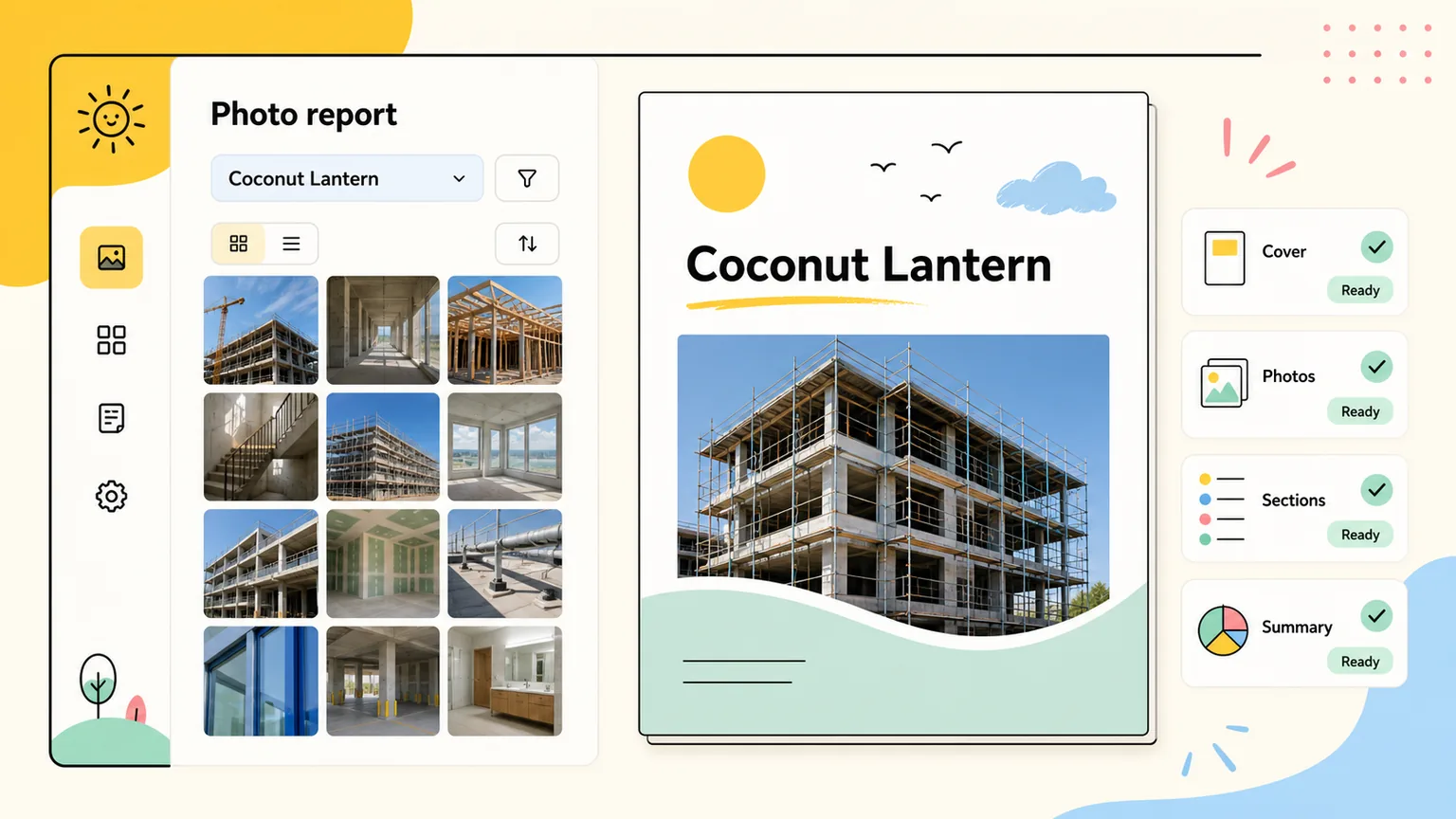
project photo reports
Built for teams that need photo proof for estimates, billing, inspections, and updates.
ProjectRoll keeps marketing promises close to the actual product: project galleries, private links, access history, and report-ready photo organization.
Product proof
Saved photo packages
Teams can group selected photos into reusable packages before opening a report-oriented project view.
Product proof
Print-friendly output
Report pages are built for browser print workflows so project context and selected photos stay together.
Product proof
Original-safe annotation
Annotation work creates copies instead of overwriting the original project media record.
Saved photo packages
Group the photos that matter for a specific review, invoice, or inspection conversation.
Browser-print reports
Create a clean printable view without exporting a pile of disconnected images.
Context stays visible
Project and section structure helps explain where photos came from and why they matter.
Why teams search for this
The problem behind project photo reports.
Report prep takes too long when photos are scattered across devices and folders.
Important context gets lost when images are exported as loose attachments.
Estimates, inspections, and closeout reviews need clearer proof than a raw gallery dump.
What changes with ProjectRoll
A cleaner project photo workflow.
Saved photo packages that start from organized project galleries.
Report-ready views that keep photos connected to the project record.
Cleaner documentation for estimates, invoices, inspections, and client updates.
Search focus
project photo reports
This page targets a real workflow need while staying honest about what ProjectRoll does today: organize project photos, share private links, and create cleaner review records.
Workflow
Step 1
Organize the project gallery
Step 2
Select important photos
Step 3
Save a package
Step 4
Print or share the report view
Keep exploring
Related ProjectRoll pages
Features
Project Photo Organization App
ProjectRoll helps teams keep project photos organized in one private workspace instead of scattered across phones, text messages, and loose folders.
Read nextFeatures
Private Project Photo Sharing Links
Create private ProjectRoll links for a whole project, a section, or selected photos, then stop access when that link is no longer needed.
Read nextFeatures
Client Project Photo Access
ProjectRoll gives clients and stakeholders private access to the photos they need while your team keeps project records organized.
Read nextUse cases
Construction Photo Documentation App
ProjectRoll helps construction teams document progress, punch-list items, site conditions, and completed work with organized project photo records.
Read nextCommon questions
Are reports available from project photos?
ProjectRoll supports report-oriented project views and saved photo packages so teams can present the right photos more clearly.
Can reports help with estimates or inspections?
Yes. Organized project photos make it easier to show condition, progress, completion, and exceptions.